 Mellow Machines
 The ESP32 is the body: it draws the face, plays available sounds and reports interactions. A Mac host runs the agent harness. Jev, when enabled, is a hosted model that picks from the application’s offered reactions.
Where the intelligence runs
Buddygotchi is a worked example of AI hardware using MellowHarness. The current repository calls the companion Boop; these guides use Buddygotchi for the project.
Coding-agent work, attention and user interactions
Context, immediate rules, bounded model choices
Display, sound and touch or button feedback
This split keeps device feedback separate from remote inference. The model can interpret context, while your application still controls which actions exist and how they reach the device. A tap or required attention signal does not need to wait for the model.
MellowHarness is currently a host-side runtime. This guide does not install a language model or the harness itself on the ESP32.
Choose a supported board
Start with a board supported by the current firmware. “Cheap Yellow Display” covers different boards, so check the exact model rather than the nickname alone.
| Board | Display | Touch | Connection |
|---|---|---|---|
| MicroTech MTR024QV01A-V1 (CYD) | 2.4-inch IPS, 320 × 240 in use | Resistive | Bluetooth or USB |
| Waveshare ESP32-S3-Touch-AMOLED-2.06 | 2.06-inch AMOLED, 410 × 502 | Capacitive | Bluetooth or USB |
For the public tutorial, start with the CYD and the open Pixel pack. The character-pack contract notes that AMOLED character support is still being developed. See the parts list before choosing a board.
You also need a USB data cable and a Mac running macOS 26 or later with Command Line Tools. Python 3.10 or later is required by the flashing tools. The firmware reference covers board pins and bring-up.
Build the current companion
Clone the application with its submodules:
git clone --recurse-submodules https://github.com/Mellow-Machines-Lab/buddygotchi.git
cd buddygotchi
Plug one supported board into USB, then build and flash its firmware:
CHARACTER=pixel BOARD=cyd24 make flashThe first run installs the board toolchain if needed. Flashing replaces the board’s current firmware. Follow the firmware guide for board selection if more than one device is connected.
From your own terminal, start the host app:
CHARACTER=pixel make runThe README specifies a normal terminal because macOS can block Bluetooth access from an editor’s or agent’s shell. Follow onboarding to name the companion and select the agents to watch. The public Pixel pack currently has one authored personality. Restart existing agent sessions so they load the hooks.
What to check first
Confirm the display is alive, then check agent work and attention status. Tap the screen or press BOOT to interact.
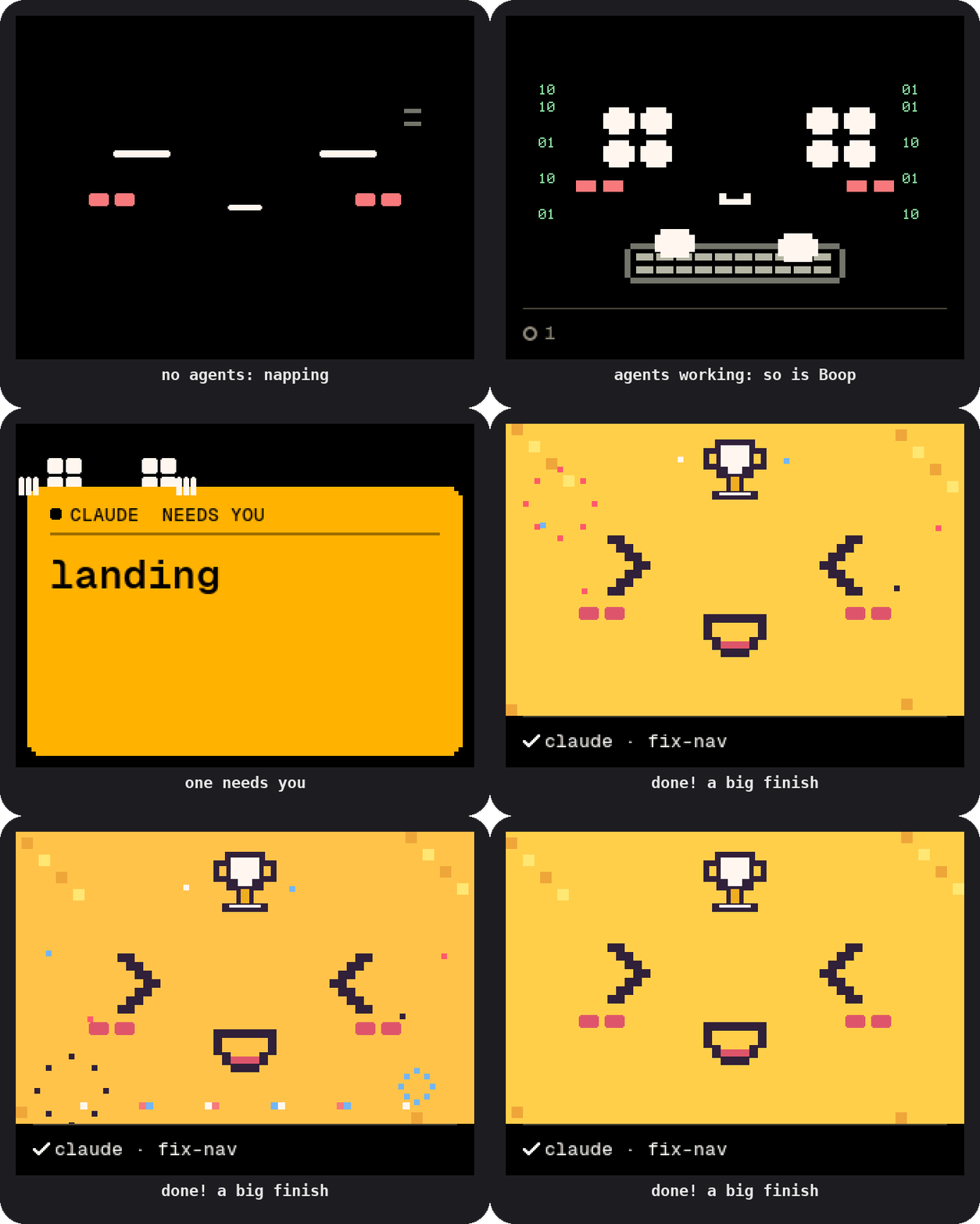
Without a Jev key, the application still shows agent work and attention. Model-guided reactions and celebrations need a key, added in the app’s Settings. The hosted model has its own pricing; this guide makes no cost or latency claim.
To inspect the application’s daily activity:
make dayThe README’s data-handling section explains what is sent when Jev is enabled.
Turn the example into your own device
Start with one input, one immediate rule and a small action roster. For example: a button press gives immediate visual feedback, while the model chooses among a few expressions that fit the recent interaction.
- Implement device transport and supported actions in the application.
- Translate input events into readable context for the harness.
- Define the permitted choices and transitions before asking the model.
- Report action outcomes back to the shared log.
Buddygotchi’s authored personality, connected moods and task state demonstrate that arrangement. Nightly auto-dream personality learning remains work in progress. Follow the full harness-to-hardware build guide, read the harness overview for those layers, or try the scripted quickstart to understand the loop first.
When a board doesn’t behave
Use the board bring-up checks before adding model behavior. The firmware guide documents display orientation, panel settings, touch wiring, sound packs and board recovery. Verify the physical feedback separately from the model decision.